
There is a particular phone call we get more than almost any other, and it almost always starts the same way: a pause, and then "I think I lost everything." Family photos. The only copy of a business's invoices. A college student's thesis the week it is due. The panic is real, and it is the same whether the call comes from Butler borough, out in Saxonburg, up toward Slippery Rock, or anywhere in Butler County.
Here is the thing almost nobody knows, and the reason I am writing this down: in a data loss situation, the most important hour is the one before you call anyone. What you do in that first hour, and more importantly what you stop doing, often decides whether your files come back cheaply, come back expensively, or do not come back at all. After enough years of computer repair in Butler PA, I can tell you that the customers who get the best outcomes are not the ones with the newest computers. They are the ones who stopped touching the machine the moment something went wrong.
So before we ever talk about data recovery in Butler PA, before pickup and delivery, before any of that, here is the honest list of what to do and what to absolutely not do. None of this is technical. All of it can save your files.
Why does the first hour matter so much for data recovery?
Because of how drives actually store and lose data, which is almost never the way people imagine.
When you "delete" a file, or when a drive starts failing, your data usually is not instantly gone. On a traditional spinning hard drive, a deleted file is really just marked as "this space is now free to reuse." The actual data sits there, intact and recoverable, until the computer happens to write something new on top of it. That is the whole game. As long as nothing overwrites it, it can very often be pulled back. The moment something writes over that space, it is gone for good, and no shop on earth can recover it.
This is why continuing to use the computer is the single most damaging thing you can do. Every minute a failing or just-erased drive stays powered on and in use, the operating system is quietly writing temporary files, updates, logs, and cache all over the disk, and each one of those is a chance to land right on top of the data you are trying to save. People come into computer repair in Butler PA having used the machine for three more days "to try to find the files themselves," and in doing so they overwrote the very thing they were looking for.
The same logic applies to a physically failing drive, just for a different reason. A drive that is starting to die, the one making a faint clicking or grinding sound, has a limited number of reads left in it before it gives out completely, and our post on understanding hard drive failure explains what is actually happening inside. Every time you power it on and let it struggle, you are spending some of those last reads on Windows trying to boot instead of on a careful, one-time recovery. The first hour matters because every action after the loss either preserves your odds or burns them.
What should I do the moment I realize files are missing?
One thing, and it is the opposite of what instinct tells you: stop. Specifically:
Stop using the computer. Do not open programs, do not browse, do not "look around" for the files. Every action writes to the drive.
If the drive is making any unusual noise (clicking, grinding, beeping, a repetitive whirring), shut the machine down properly if you can, and if it will not shut down normally, hold the power button until it goes off. A clicking drive is a mechanical failure in progress, and the kindest thing you can do for it is to stop it.
If the files were simply deleted or a drive was accidentally formatted, and the machine is otherwise healthy, the safest move is still to shut it down and stop adding anything new to that drive. Do not install "recovery software" onto the same drive you are trying to recover from, because the act of installing it can overwrite the exact files you want. This is the most common self-inflicted wound we see.
Then leave it alone and make the call. That is genuinely the whole emergency procedure. The hard part is psychological, because doing nothing feels like giving up when every instinct says to dig. But in data recovery, doing nothing is doing the most important thing.
What are the worst mistakes people make before calling for data recovery?
These are the ones that turn a recoverable situation into a lost cause, in rough order of how often I see them across Butler County:
The rice trick on a wet device. If a laptop or device got wet, putting it in rice does almost nothing useful and the delay lets corrosion spread across the board. Power it off, do not turn it back on to "check if it works," and get it looked at. Repeatedly powering on a wet machine is how a cleanable problem becomes a dead one.
Running random recovery tools from the internet. There are some legitimate tools out there, but there is far more junk, and a lot of it installs itself onto the failing drive (overwriting data) or is outright malware preying on panicked people. Downloading a "free data recovery" program in a panic frequently makes things permanently worse.
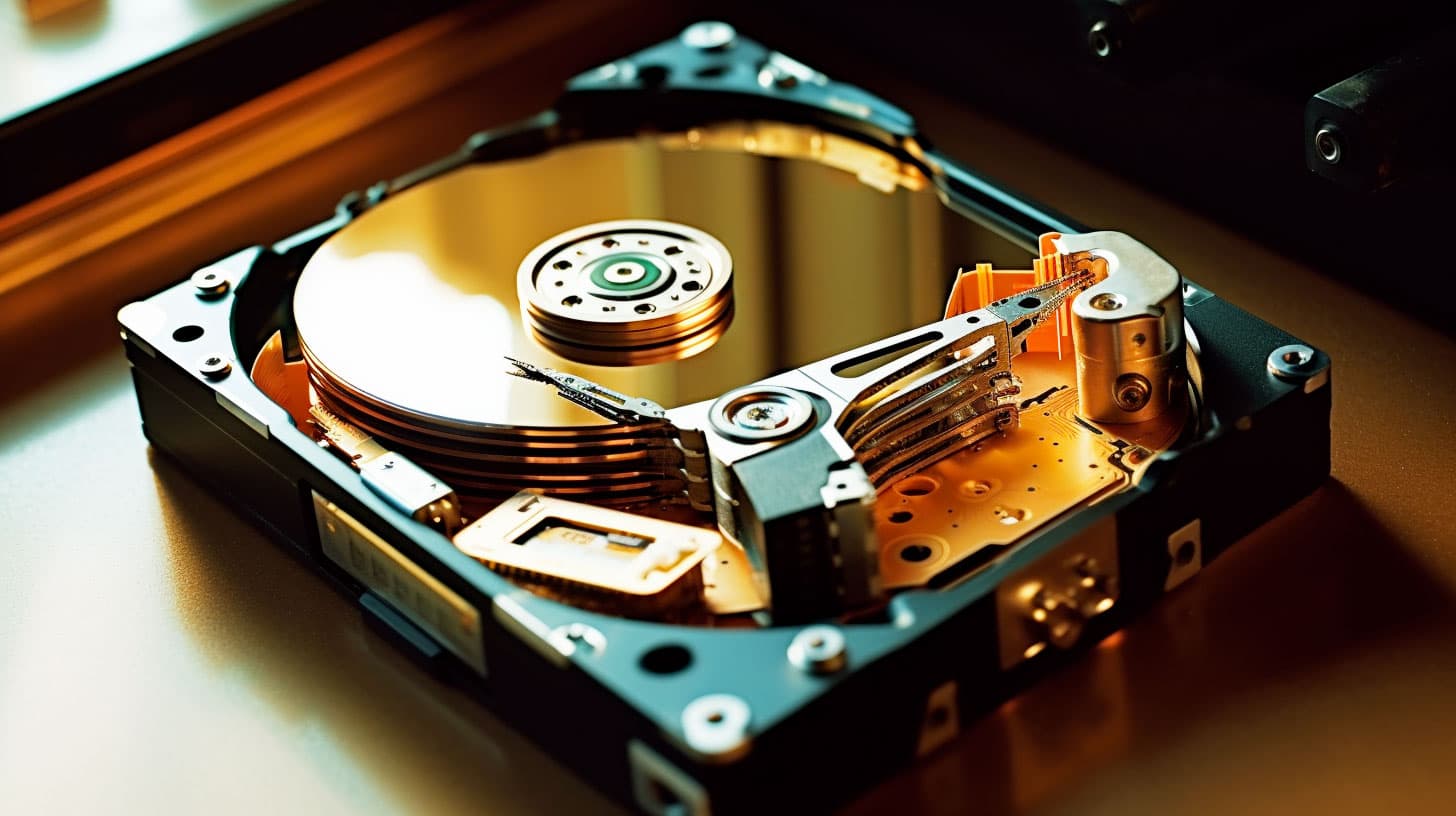
Opening the drive up. Every few months someone has read that a hard drive can be opened and fixed on a kitchen table. A spinning drive is sealed for a reason. The platters inside need a clean environment, and a single particle of household dust landing on them during a do-it-yourself opening can scratch the surface and destroy the data for good. This is the fastest way to convert a recoverable drive into an unrecoverable one.
The freezer myth. You may have read that freezing a dead drive brings it back. Maybe it buys a few minutes on a very specific and now-rare type of old failure, but on a modern drive condensation from the freezer can short it out and finish it off. It is not 2005 advice for 2026 hardware.
Keeping the machine running to "back it up real quick." If the drive is failing, the read you spend frantically copying files is a read the drive might not survive, and a panicked copy often grabs the wrong things while the drive dies mid-transfer. Let it be done once, carefully, by someone whose whole job is getting the maximum off a dying drive on the first and possibly only attempt.
What information will the Butler PA repair shop need from me?
When you do call, a few details help us help you faster, and you can have them ready before you pick up the phone:
What happened and when. "It clicked and would not boot this morning," "I emptied the recycle bin and realized the folder was in there," "there was a storm last night and now it will not start." The cause points us straight at the type of recovery.
What kind of loss it is. Deleted or formatted (logical) is a very different job from a drive that physically died (mechanical), and the difference matters for both the approach and the honest cost conversation.
What you most need back. Often someone is panicking about "everything" when what truly matters is one folder of photos or one set of business files. Knowing the priority lets us focus the recovery on what counts.
Whether you have any backup at all. Sometimes people have a backup they forgot about (an old external drive, a cloud account, a phone that synced the photos), and the fastest "recovery" is realizing the data was safe somewhere all along. We will ask, because the cheapest data recovery is the one you did not actually need.
Whether the data is irreplaceable. We treat a business's only copy of its records or a family's only copy of a wedding differently from a reinstallable program. Tell us, and we will tell you honestly what the odds and the options are before any work begins.
How does data recovery actually work once I bring it in?
It depends entirely on which kind of loss you have, and the first step is always figuring that out.
For a logical recovery (deleted files, a formatted drive, a corrupted file system on a drive that is still physically healthy) the work happens with specialized software that reads the raw disk and reconstructs what is still there underneath the deletion. The key, and the reason the "stop using it" rule matters so much, is that we work from the drive in the state you brought it, before anything else overwrites it. A healthy drive with a recent accidental deletion has very good odds.
For a mechanical or physical failure (the clicking drive, the storm-killed drive, the one that does not spin up) the job is harder and more careful. The goal is to get the drive stable enough to read off as much as possible in as few passes as we can, because a dying drive may only give you one good shot. This is exactly why running it yourself for days first is so costly: you may have spent the drive's last good reads on nothing.
In either case, the honest part comes first. We will look at what you have, tell you what we realistically think we can get back and what it will take, and you decide before we proceed. We do not believe in surprising anyone with a bill, and we will never tell you something is recoverable when it is not just to start the work. Sometimes the honest answer is that the data is gone, and you deserve to hear that straight rather than pay to chase a ghost. You can see more about how we approach this on our computer repair and diagnostics service page.
How do I make sure this never happens again?
The blunt truth every data recovery customer in Butler County hears from us afterward: the only real protection against data loss is a backup that exists before you need it. Recovery is the emergency room. A backup is the seatbelt.
The rule worth remembering is the 3-2-1 idea: three copies of anything you cannot bear to lose, on two different kinds of storage, with one of them kept somewhere other than your home or office. In practice for a normal Butler PA household or small business that usually means the working copy on your computer, an automatic backup to an external drive, and a cloud backup that runs by itself in the background. The cloud copy is the one that survives the house fire, the theft, and the basement flood, which is why it matters most and is the one people skip.
The word that does the heavy lifting is automatic. A backup you have to remember to run is a backup that is months out of date when you finally need it. Set it up once to run on its own, then test it occasionally by actually opening a file from the backup, because a backup nobody has ever restored from is just a hope, not a plan. If you want a hand setting one up that runs itself and that you will never have to think about, that is a quiet afternoon of work that saves the worst phone call you can make. It is also exactly the kind of thing we would rather help a Butler customer set up now than recover from later.
Schedule a Butler appointment for data recovery
If files have gone missing, if a drive is clicking, or if a storm just took out the machine with the only copy of something you cannot replace, the most important step has already been covered above: stop using the computer and power it down. The next step is to call 724-954-0007 and talk to a real person, usually Mike. Tell us what happened, what you most need back, and how the machine is behaving, and we will tell you honestly what we think the odds and the options are before any work or any cost.
Mike's Computer Repair is based in Kittanning, about a 35-minute drive from Butler, and we serve Butler borough, Butler Township, Center Township, Lyndora, Saxonburg, Slippery Rock, and the rest of Butler County. For data recovery we offer free pickup and delivery, so you do not have to drive a fragile failing drive anywhere, and you can read more on the services we provide to local Butler customers. When you are ready to make sure it never happens again, we can also set up an automatic backup that runs itself. Call 724-954-0007 to schedule a Butler appointment, and the sooner you call after a loss, the better your odds.
Related Articles
Why Your Butler PA Computer Is Slow (5 Actual Reasons, Not the Ones You'll Google)
Search why is my computer slow and you get the same five tips everyone copies off each other. After enough computer repair in Butler PA, I can tell you the real causes look different. Here are the 5 that actually matter.
RepairCommon Butler PA Computer Problems We See (And How We Fix Them)
Driving to Butler regularly means we see the same handful of issues come through the shop. Here's what they are, why they happen, and what the fix usually looks like.
EducationThe Importance of Backups: Safeguarding Your Business Data
Data loss from hardware failures, cyber attacks, or human error can devastate a business. Here's how to build a backup strategy that actually protects you.